Edit Scenario Topology and Settings
Navigation
Once you save a new scenario or open an existing scenario from the dashboard, you will automatically be redirected to the scenario editor, which looks very similar to the network editor. There are 5 main elements in the scenario editor.
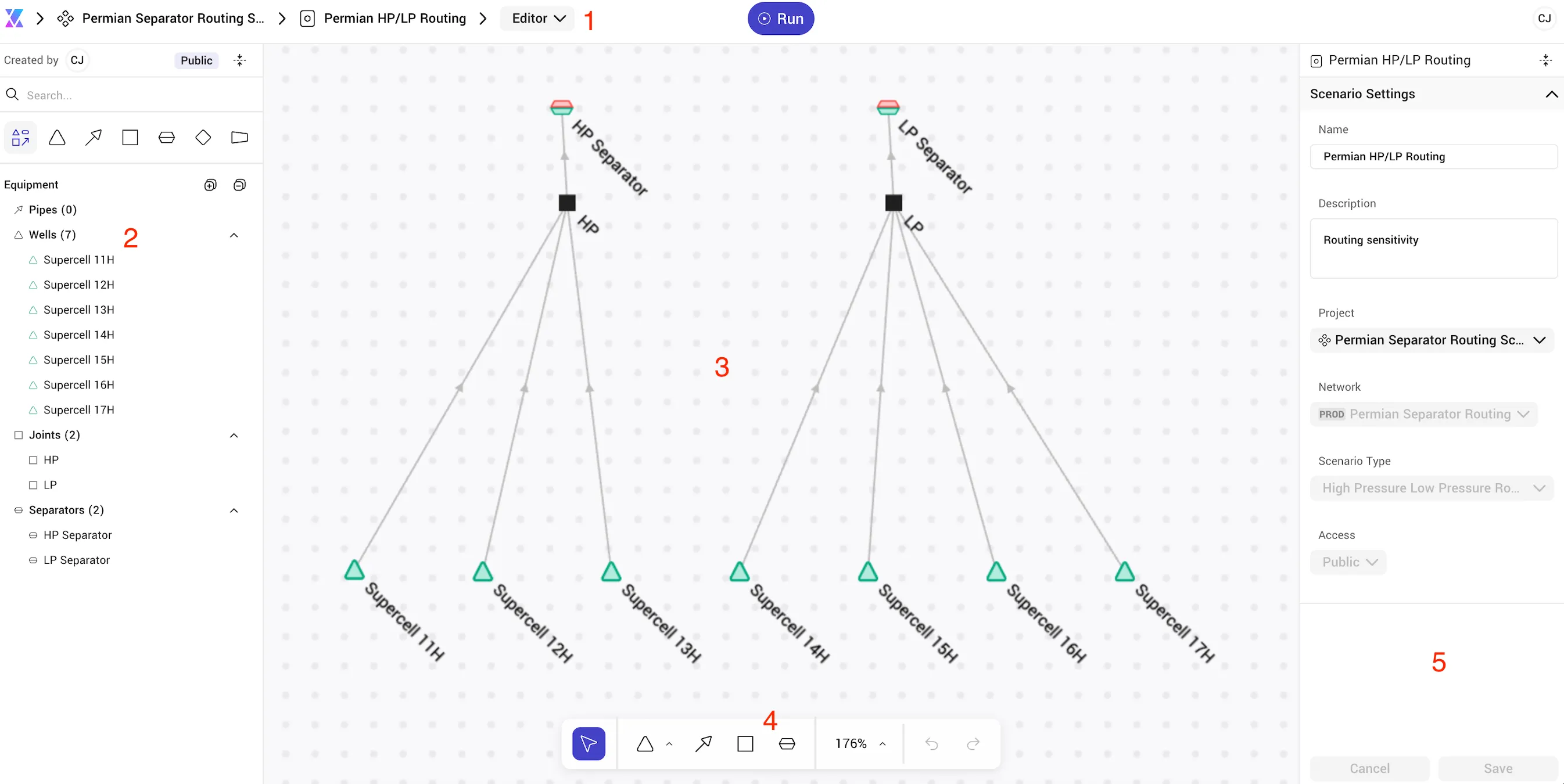
- Breadcrumb - The breadcrumb at the top of the page shows the active project and scenario. Clicking on the Xecta logo (X icon) will navigate back to the landing page.
- Equipment List - As you add equipment to the scenario, it will appear in this list, which has search and filter functionality. Clicking on an equipment will zoom and focus the editor to that equipment.
- Design Canvas - Equipment is placed, organized, and connected on the canvas.
- Toolbar - The toolbar contains a selection tool, equipment creation tools, a zoom tool, and undo/redo tools. Hovering over an icon will spawn a tooltip describing that tool.
- Settings Panel - By default, you will see scenario-level settings when no equipment is selected. When equipment is selected, the content of this panel will change to be specific to the selected equipment.
Adding and Removing Equipment
Adding and removing equipment follows the same process outlined in Edit Network Topology. However, when modifying a scenario, the parent network itself will not be modified. The scenario keeps a local copy of the parent network, allowing you to explore alternate topologies without changing the as-installed topology found in the parent network.
Edit Well Settings
For High Pressure Low Pressure Routing Scenarios, the well settings between the network editor and scenario editor are identical. However, when editing scenario-level settings, the original network the scenario was spawned from will remain unchanged.
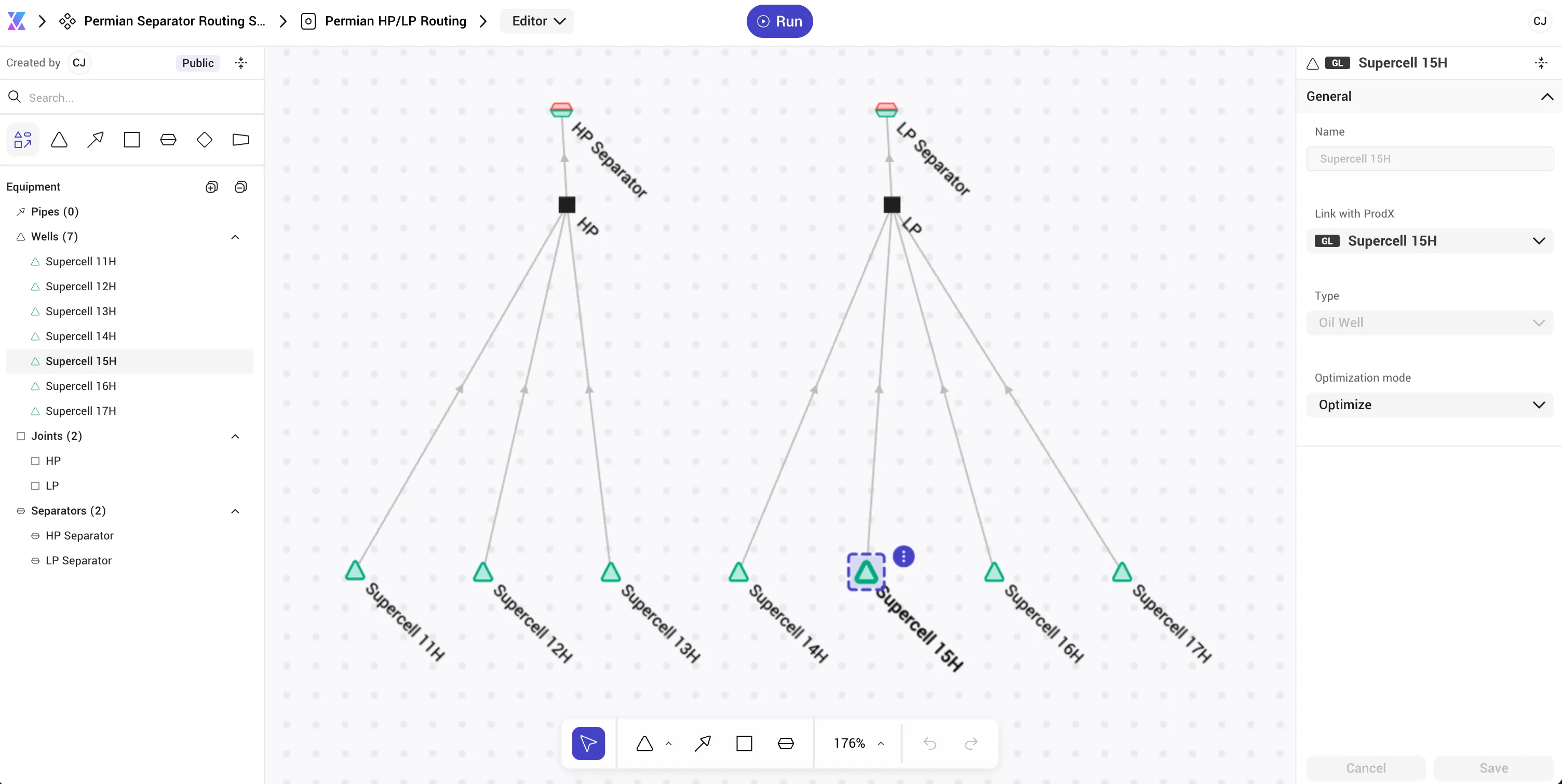
As previously mentioned, Optimization Mode (fixed or optimize) allows you to dictate whether the optimizer is allowed to adjust the routing of a given well.
- Soft - Well is allowed to operate below the critical injection rate (i.e. the critical injection rate is not considered in optimization). It is important to note that the optimizer will still use cash flow as it's optimization metric, which will typically prioritize a good well remaining above its critical injection rate.
- Shut-In Below - The well will be shut in if the optimum injection allocation puts the well below its critical injection rate.
Edit Separator Settings
For High Pressure Low Pressure Routing Scenarios, the separator settings between the network editor and scenario editor are identical. However, when editing scenario-level settings, the original network the scenario was spawned from will remain unchanged.
Edit Other Settings
All other settings (constraints, names) can be edited as described in Edit Network Topology. Like the equipment itself, and modifications made in the scenario will not affect the parent network from which the scenario was created.